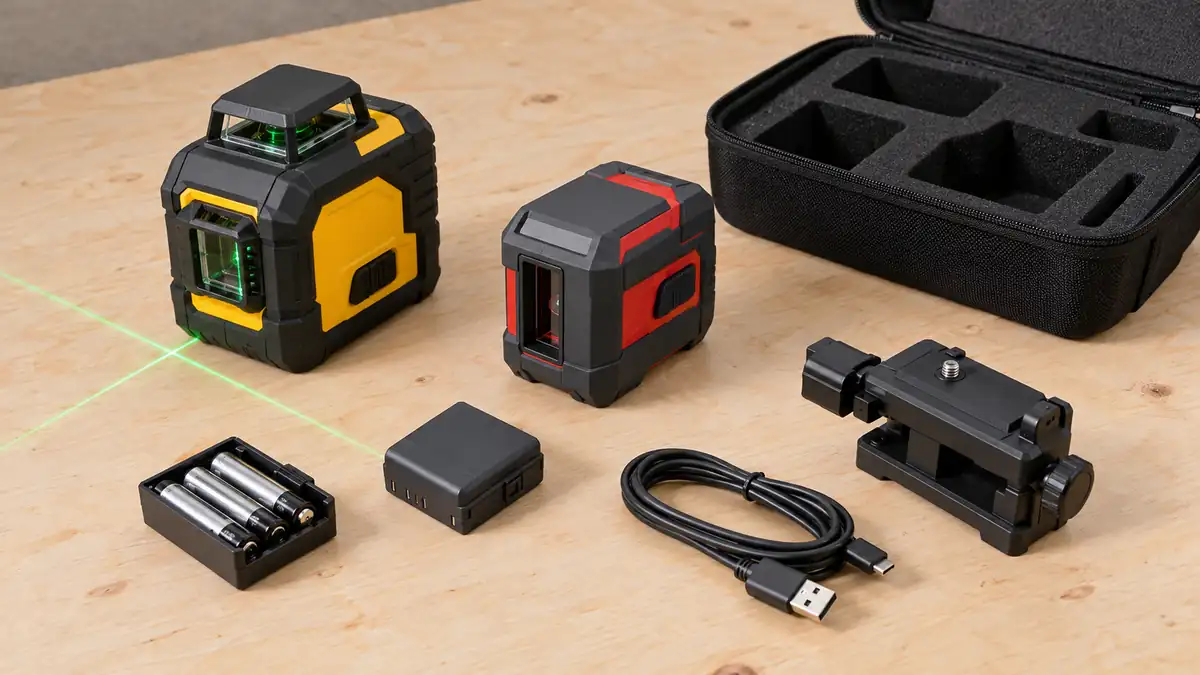
Deciding how to choose a laser level begins with the required reference, then accuracy, working conditions, positioning, power, and the contents of the exact package. Start with the marks you need to make. A long feature list cannot tell you whether the instrument will sit securely at the right height or transfer the point the job requires.
For indoor projects, distinguish a local cross, a continuous room reference, and documented point transfer. If the spending limit is already fixed, an indoor shortlist with a defined spending cap lets you compare those configurations without assuming that a more elaborate kit will suit the task better.
Keep the intended task beside the specifications as you narrow the choice. “Mount a few shelves,” “carry a cabinet height around a corner,” and “read outdoor elevations with a receiver” are more useful starting descriptions than “buy a powerful laser.”
How to Choose a Laser Level: Define the Job First
Identify the surfaces, working distances, heights, and lighting conditions. Decide whether the reference must remain visible on one wall, continue onto several surfaces, or be read by a receiver at another station. Include how often the setup will move.
Also note the support you can actually use. A magnetic bracket is useful on suitable metal; it does not attach itself to a plain living-room wall. A tripod can solve that problem only if its interface and usable height suit the instrument and the work.
Read Accuracy as a Relationship, Not an Adjective
An accuracy statement needs its reference distance and applicable function. Level, vertical, and point-transfer specifications may differ within one instrument. A long operating range does not mean the same thing as a small tolerance.
Compare like with like and read the exact documentation. Do not treat beam thickness as a guaranteed measurement tolerance, or a self-leveling label as proof of calibration. Check the manufacturer’s field-check instructions and service route so you know how accuracy is assessed after the tool has been handled.
A hypothetical tolerance example can help you understand a specification, but it cannot establish whether the finished project will meet its requirements. Marking technique, hardware offsets, support movement, and the actual installation all contribute to the result.
Decide Which Additional Capability You Will Use
Continuous planes, dedicated points, remote beam selection, and motorized positioning can each solve a real problem. They are different capabilities. A remote that changes operating settings does not physically move the reference onto your pencil mark unless the system specifically provides that adjustment.
If a broader spending allowance is available for connected room layouts, compare indoor laser kits for a broader spending allowance by the actual reference arrangements and included supports. The higher ceiling is a filter for that shortlist, not a technical grade.
The same reasoning applies to a shortlist built around a higher spending ceiling. A focused cross and a point-layout instrument may still be the more suitable tools for their own tasks. Do not buy extra planes as a substitute for identifying the missing capability.
Check the Power Arrangement Before Choosing a Brand
AA cells, built-in rechargeable batteries, removable dedicated packs, and cordless tool-platform batteries create different operating routines. Confirm the exact arrangement, the approved charger or cable, and what is supplied.
A USB connection does not by itself mean the battery is removable or that the tool supports every form of operation while connected. Shared manufacturer colors and a voltage label do not prove that an existing battery will fit. Use the stated platform and exact model compatibility.
DEWALT: Look Beyond the Color of the Case
DEWALT’s range includes different reference geometries and power arrangements. The DW089LG, for example, is identified as a 12V MAX three-plane model; that description does not establish the power requirement of every other DEWALT laser.
Our DEWALT laser models and power arrangements comparison helps separate those configurations. Confirm the particular kit’s battery, charger, mounting equipment, and model documentation rather than extending one model’s specification across the range.
Bosch: Read Both the Instrument and Its Supported Accessories
For a model that supports an adapter or alternative power supply, verify the exact accessory and the cells or packs it accepts. Bosch’s GLL3-330C/CG instructions describe a specified rechargeable supply and an AA-battery adapter arrangement. That provides a concrete alternative for those models, not a universal power option for all Bosch lasers.
Compare Bosch laser level configurations with the support and receiver requirements beside the beam geometry. An accessory supplied with one package may be separate or inappropriate in another.
Huepar: Separate Battery and Control Functions
A rechargeable arrangement, remote control, and a positioning mechanism answer different questions. Huepar’s B03CG description, for example, identifies Type-C power input with the battery removed. That is a particular operating arrangement, not proof that every rechargeable Huepar works the same way. Separately check whether any remote changes beams, operates supported movement, or performs another documented function.
The Huepar laser options for different layouts guide compares those roles. Match the complete model and package name before assuming two similar-looking instruments contain the same battery or control features.
Milwaukee: Identify the Actual Platform and System
M12 and M18 identify different battery-platform arrangements. A single-plane indoor instrument and an M18 dual-slope rotary system also represent different reference tasks. Those are separate decisions, which is why the shared brand is not the complete specification. Platform familiarity should simplify the compatibility check, not replace it.
Compare Milwaukee laser systems and selected kits by those distinctions. Record the transmitter, receiving equipment, support, battery, and charger required for the selected setup, particularly when a listing offers more than one configuration.
Use a Kit-Contents Card Before Ordering
| Item | Record before buying |
|---|---|
| Instrument | Exact model, reference geometry, applicable accuracy and operating modes |
| Power | Approved supply, battery availability, charger and cable requirements |
| Support | Mounting interface, usable height, permitted surface, and adjustment |
| Receiver system | Exact compatible receiver, required mode, rod and clamp if needed |
| Package | What is included, separate, or different between selectable versions |
| After purchase | Operating instructions, accuracy-check procedure, storage and service route |
For the mechanical and system details, use checking supports and receiver compatibility. A low stand can be a useful included piece while still leaving you needing a different support for a high reference.
Choose the Shortlist After the Requirements Are Clear
Return to the original job description and remove features that do not solve one of its requirements. If you still cannot describe where the instrument will sit or which reference it must produce, the choice is not ready simply because several models share familiar specifications.
The laser level shortlists by project and reference type provide the next route once those requirements are clear. Compare the few configurations that fit, confirm the supplied equipment, and keep the operating instructions with the tool so the first layout starts with the same understanding as the purchase.
